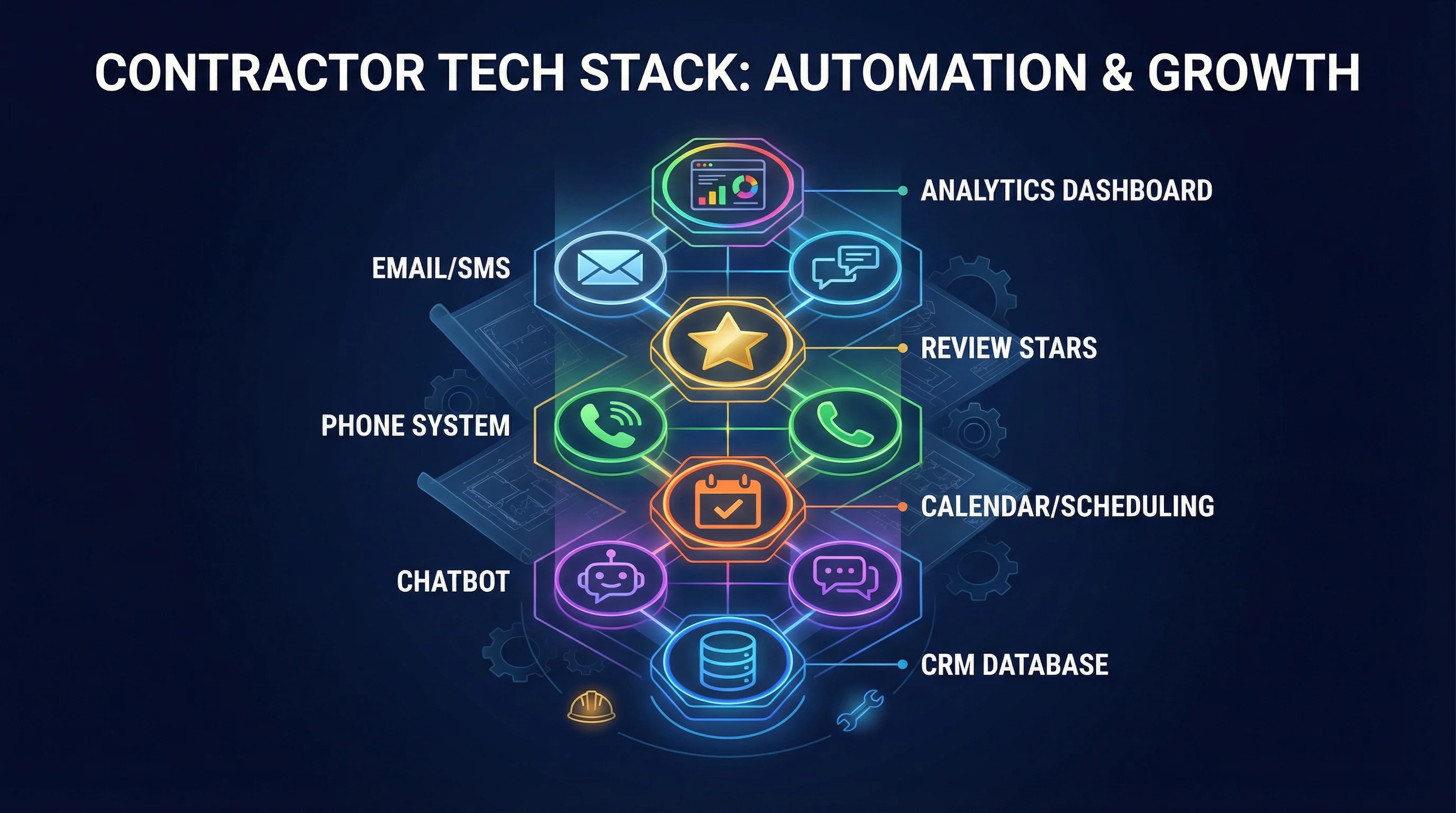
Contractor Automation Stack 2026: The Essential Tools
Contractor Automation Stack 2026: The Essential Tools
TL;DR: The modern contractor automation stack includes 7 core tools: AI chatbot (instant lead capture), CRM (lead management), scheduling software (online booking), call tracking (attribution), review automation (Google rating growth), email/SMS automation (follow-up sequences), and AI phone agent (after-hours calls). Together, these tools save 15-20 hours per week, increase lead conversion by 30-50%, and scale your business without hiring more admin staff. For specific AI strategies, see our AI Chatbots for Contractors and AI Lead Follow-Up Systems posts.
Why Contractors Need an Automation Stack in 2026
You did not become a contractor to spend your day answering the same questions, chasing leads, and scheduling appointments. You became a contractor to do the work and run a profitable business.
But as you grow, administrative tasks multiply:
- Answering phone calls and texts
- Following up with leads
- Scheduling estimates and service calls
- Requesting reviews
- Tracking which marketing channels work
- Managing customer communication
The old way: Hire more office staff.
The new way: Build an automation stack that handles repetitive tasks 24/7, freeing your team to focus on high-value work (sales, service delivery, customer relationships).
The 7 Essential Tools in a Contractor Automation Stack
1. AI Chatbot (Instant Lead Capture)
What it does:
- Answers common questions 24/7 (pricing, service areas, availability)
- Captures lead information (name, phone, service need)
- Books appointments directly
- Hands off complex questions to humans
Why you need it: Homeowners expect instant answers. If your site does not respond immediately, they call your competitor.
Best tools:
- Intercom (robust, integrates with CRMs, starts at $74/month)
- Tidio (affordable, good for small contractors, starts at $29/month)
- Chatbase (custom AI trained on your content, starts at $19/month)
ROI: Captures 20-40% more leads by responding instantly, even outside business hours.
2. CRM (Lead Management & Pipeline Tracking)
What it does:
- Centralizes all leads in one place (website forms, calls, texts, emails)
- Tracks lead status (new, contacted, quoted, booked, completed)
- Automates follow-up reminders
- Provides visibility into your sales pipeline
Why you need it: Without a CRM, leads fall through the cracks. With a CRM, every lead is tracked, followed up, and measured.
Best tools:
- HubSpot (free tier available, powerful automation, scales with you)
- ServiceTitan (built for contractors, includes scheduling and invoicing, starts at $300/month)
- Housecall Pro (affordable, easy to use, starts at $49/month)
- GoHighLevel (CRM + automation + AI, starts at $97/month)
ROI: Increases lead conversion by 20-30% by ensuring consistent follow-up.
3. Scheduling Software (Online Booking)
What it does:
- Lets customers book appointments online 24/7
- Syncs with your calendar to show real-time availability
- Sends automated confirmation emails/texts
- Reduces no-shows with reminders
Why you need it: Homeowners want to book NOW, not play phone tag. Online scheduling removes friction and captures leads who browse outside business hours.
Best tools:
- Calendly (simple, affordable, starts at $10/month)
- Housecall Pro (includes scheduling + CRM + invoicing, starts at $49/month)
- ServiceTitan (enterprise-grade, includes dispatching, starts at $300/month)
- Acuity Scheduling (flexible, integrates with many tools, starts at $16/month)
ROI: Captures 15-25% more leads by offering instant booking.
4. Call Tracking (Marketing Attribution)
What it does:
- Assigns unique phone numbers to each marketing channel (Google Ads, SEO, LSA, direct mail)
- Records calls for quality assurance
- Tracks which campaigns drive calls and booked jobs
- Provides ROI data for every marketing dollar spent
Why you need it: If you do not know which marketing channels work, you are flying blind. Call tracking shows exactly where your leads come from.
Best tools:
- CallRail (industry standard, starts at $45/month)
- CallTrackingMetrics (advanced features, starts at $39/month)
- WhatConverts (tracks calls + forms + chats, starts at $30/month)
ROI: Eliminates wasted ad spend by identifying which channels drive revenue.
5. Review Automation (Google Rating Growth)
What it does:
- Automatically requests reviews after job completion
- Sends follow-up reminders if customer does not respond
- Routes happy customers to Google, unhappy customers to private feedback
- Monitors review sites and alerts you to new reviews
Why you need it: Reviews are the #1 trust signal for homeowners. More reviews = higher Google ranking = more leads. But manually asking for reviews is tedious and inconsistent.
Best tools:
- Podium (SMS-based review requests, starts at $289/month)
- BirdEye (multi-platform review management, starts at $299/month)
- GatherUp (affordable, effective, starts at $79/month)
- GoHighLevel (includes review automation + CRM, starts at $97/month)
ROI: Increases review velocity by 3-5x, improving Google ranking and conversion rates.
6. Email/SMS Automation (Follow-Up Sequences)
What it does:
- Sends automated follow-up messages to leads (email + SMS)
- Nurtures cold leads with educational content
- Re-engages old leads who never converted
- Sends appointment reminders and post-job follow-ups
Why you need it: Most leads are not ready to buy immediately. Automated nurture sequences keep you top-of-mind until they are ready.
Best tools:
- Mailchimp (email automation, free tier available)
- Twilio (SMS automation, pay-as-you-go pricing)
- GoHighLevel (email + SMS + CRM, starts at $97/month)
- HubSpot (email automation included in free tier)
ROI: Converts 10-20% of leads that would have otherwise gone cold.
7. AI Phone Agent (After-Hours Call Handling)
What it does:
- Answers calls 24/7 when your office is closed
- Handles common questions (pricing, service areas, availability)
- Books appointments directly
- Escalates urgent calls to on-call staff
Why you need it: Emergency calls (burst pipes, AC failures, roof leaks) happen at all hours. If you do not answer, they call someone else.
Best tools:
- Smith.ai (live + AI hybrid, starts at $240/month)
- Ruby (live receptionists, starts at $235/month)
- Custom AI phone agents (built on OpenAI + Twilio, $5,000-$10,000 one-time build)
ROI: Captures 20-30% more leads by answering after-hours calls.
How These Tools Work Together
Here is a real-world example of how the automation stack works:
Step 1: Homeowner searches "emergency plumber Fresno" and lands on your website.
Step 2: AI chatbot pops up: "Hi! Need emergency plumbing help? I can get you scheduled today."
Step 3: Homeowner enters name, phone, and issue. Chatbot books them for a 2 PM appointment.
Step 4: CRM logs the lead, assigns it to a tech, and sends automated confirmation via SMS.
Step 5: Call tracking records that this lead came from Google Ads (so you know that campaign is working).
Step 6: Tech completes the job. CRM triggers an automated review request via SMS.
Step 7: Homeowner leaves a 5-star Google review. Review automation alerts you and posts a thank-you response.
Step 8: 30 days later, email automation sends a maintenance reminder: "Time for your annual water heater flush!"
Result: Lead captured, job booked, review earned, repeat business scheduled—all with minimal human intervention.
What This Stack Costs (And What It Saves)
Monthly cost breakdown:
- AI chatbot: $50/month (Tidio or Chatbase)
- CRM: $100/month (HubSpot or GoHighLevel)
- Scheduling: $50/month (Calendly or Housecall Pro)
- Call tracking: $50/month (CallRail)
- Review automation: $100/month (GatherUp or Podium)
- Email/SMS automation: $50/month (included in CRM or Mailchimp)
- AI phone agent: $250/month (Smith.ai)
Total: $650/month
What it saves:
- 15-20 hours per week in admin work (answering calls, scheduling, follow-up)
- 30-50% more leads converted (instant response, consistent follow-up)
- 3-5x more reviews (automated requests)
- Better marketing ROI (call tracking shows what works)
ROI calculation:
- If automation helps you book 5 extra jobs per month
- And your average job value is $2,500
- That is $12,500/month in additional revenue ($150,000/year)
- Minus $650/month in tool costs
- Net gain: $11,850/month ($142,200/year)
Even if you only book 2 extra jobs per month, the stack pays for itself.
How to Build Your Automation Stack (Step-by-Step)
Phase 1: Foundation (Month 1)
Priority 1: CRM (HubSpot or GoHighLevel)
- Centralize all leads in one place
- Set up basic automation (instant response email)
Priority 2: Scheduling software (Calendly or Housecall Pro)
- Add online booking to your website
- Sync with your calendar
Priority 3: Call tracking (CallRail)
- Set up tracking numbers for each marketing channel
- Start measuring which campaigns drive calls
Phase 2: Lead Capture (Month 2)
Priority 4: AI chatbot (Tidio or Intercom)
- Add to your website
- Train it on your FAQs and services
Priority 5: Email/SMS automation (HubSpot or GoHighLevel)
- Set up 5-touch nurture sequence
- Add missed call text-back
Phase 3: Growth & Retention (Month 3)
Priority 6: Review automation (GatherUp or Podium)
- Automate review requests after job completion
- Set up review monitoring and response
Priority 7: AI phone agent (Smith.ai or custom)
- Handle after-hours calls
- Book emergency appointments 24/7
Common Mistakes to Avoid
❌ Buying tools you do not use: Start with the essentials (CRM, scheduling, call tracking). Add more as you grow.
❌ Not integrating tools: If your chatbot, CRM, and scheduling software do not talk to each other, you create more work, not less.
❌ Setting it and forgetting it: Automation requires ongoing optimization. Review performance monthly and improve messaging.
❌ Over-automating: Do not let AI handle everything. High-value leads and complex questions need human touch.
The Bottom Line
The contractors who win in 2026 are the ones who work smarter, not harder. Automation is not about replacing your team—it is about freeing them from repetitive tasks so they can focus on what matters: delivering great service and closing deals.
With the right automation stack, you can:
- Capture more leads (instant response 24/7)
- Convert more leads (consistent follow-up)
- Earn more reviews (automated requests)
- Scale faster (without hiring more admin staff)
Ready to build your automation stack? Start with a CRM, add scheduling and call tracking, then layer in AI chatbot and review automation. Your future self will thank you.
Ready to Automate Your Contractor Business?
At Sequoia GEO, we help contractors build custom automation stacks that save time, increase leads, and scale revenue. From CRM setup to AI chatbots and review automation, we handle the tech so you can focus on growing your business.
Let's talk about your automation goals. Schedule a free consultation today.
Related Articles
AI Chatbots for Contractors: 24/7 Customer Service That Books Jobs
AI chatbots answer common contractor questions instantly, capture lead information 24/7, and qualify prospects automatically.
AI Lead Follow-Up Systems: Never Lose Another Hot Lead
AI-powered lead follow-up systems respond instantly, qualify leads automatically, and ensure no lead falls through the cracks.
HVAC GEO: How to Engineer Your Air Conditioning Business for the AI Era
How AI is changing HVAC marketing. GEO strategies to stay visible in ChatGPT, Google AI Overviews & voice search.'Google Search' era is ending. If your HVAC business isn't built to answer the complex questions homeowners are asking AI, you aren't just losing clicks—you're being erased. Learn the four pillars of HVAC GEO.
Ready to Grow Your Contractor Business?
Let's apply these strategies to your business. Get a free analysis of your current marketing and a custom growth plan.